The timer knows your stage time.
Your camera knows every shot.
Splitsmith reads the start beep and every shot out of the audio your head cam recorded, and turns them into splits you can audit shot by shot, coach against your own match, and line up next to your squad.
Open source MIT · any camera with a microphone · runs on your machine, nothing is uploaded · hosted by invitation
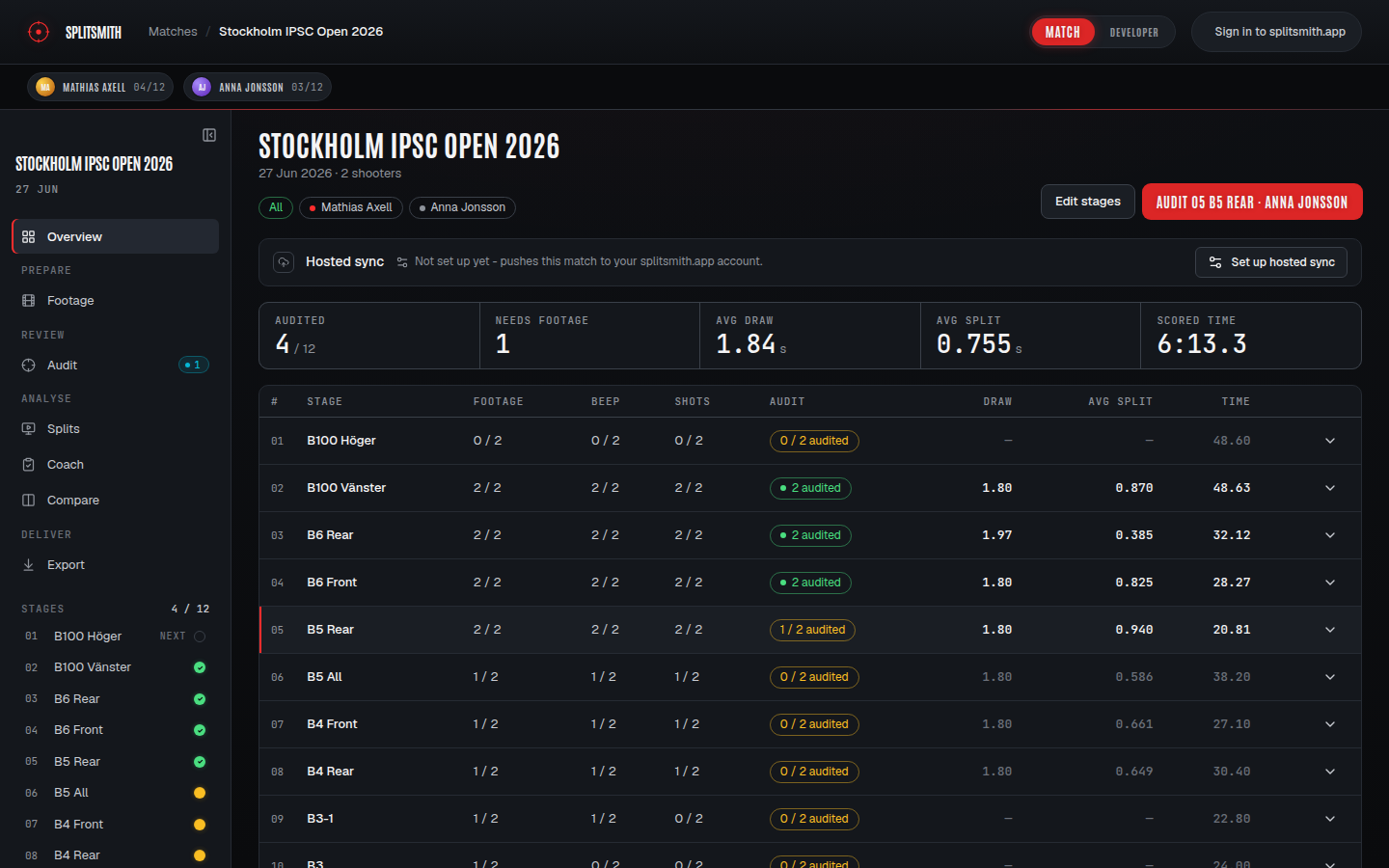
Prepare. Review. Analyse. Deliver.
One match, the whole squad's footage, four phases. The app keeps score of where every stage is and always knows what to do next.
A pile of videos, sorted
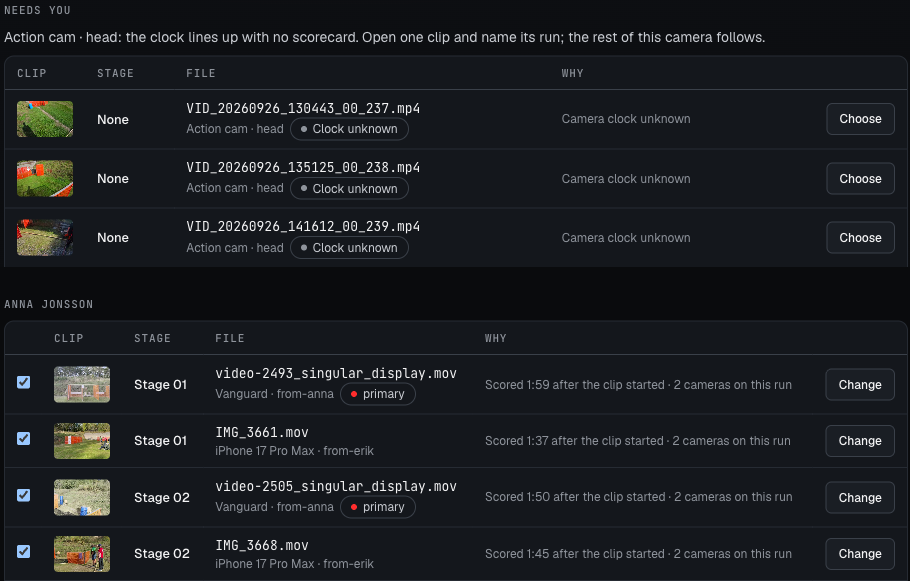
Point Add footage at a folder or a handful of files, from one camera or several: head cam, glasses, phones, mixed in any order across subfolders. Every video is matched to the shooter and stage whose scorecard was typed right after it, with the head cam first when several cameras caught the same run. A camera with a wrong clock asks once: name one of its clips and the rest follows. Scrub a thumbnail to check a clip, then import it all or one shooter at a time. An unfinished sort waits for you on Footage. Desktop app.
Every shot, on the waveform
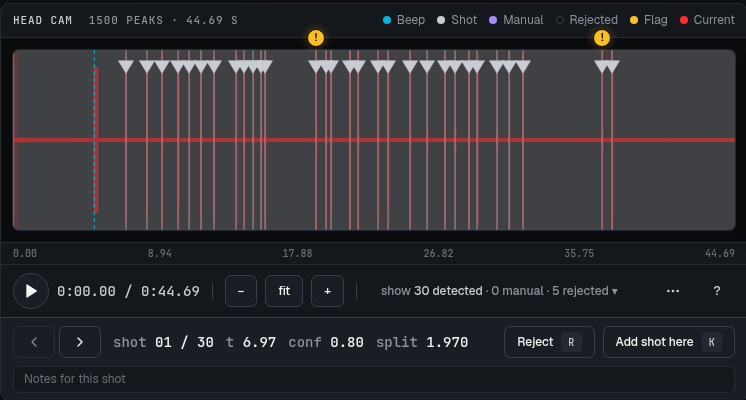
The detector's candidates sit on the stage audio with their votes. Reject an echo, add a shot at the playhead, jump to the next flag. Confirm the beep first; the trim and detection chain from there.
The shot table
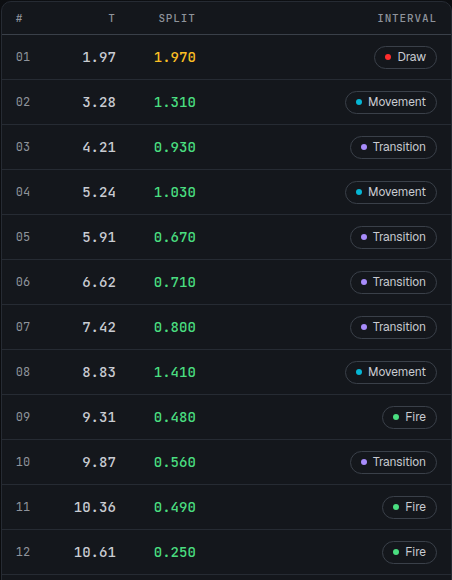
Time from beep, split, interval class, tier against your baseline. Play the stage and the table follows.
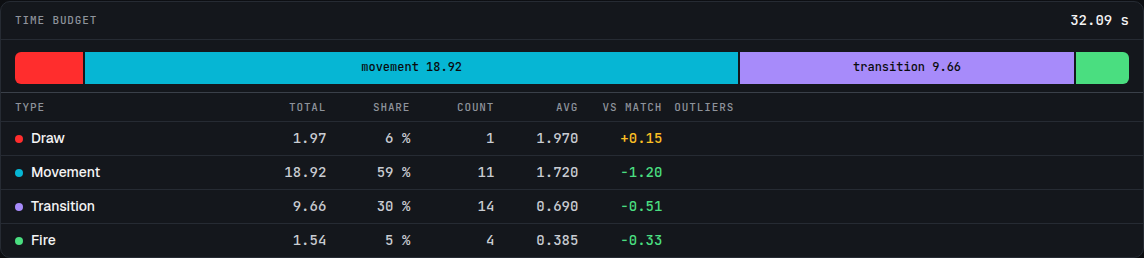
Where the seconds went
One bar per stage sums your intervals by type against your own match. An interval over twice its type's median is an outlier, and it is named.
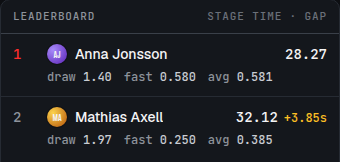
Your squad, aligned to the beep
Every shooter's run on one clock. Shot lanes, a leaderboard with the gap at each shooter's last shot, and audio from whoever you pick.

Pick a look, see it on your footage
Start from a preset or save your own, then choose the look from a gallery: title page, slates, the summary hold, the shot counter, each previewed on your own footage before you render. A stage that cannot export says why in one line and offers the fix. Out come a Final Cut timeline with a marker per shot, a rendered MP4 with the overlay burned in, a compare grid of the whole squad, or lossless trims. The MP4 can go straight to your YouTube channel.
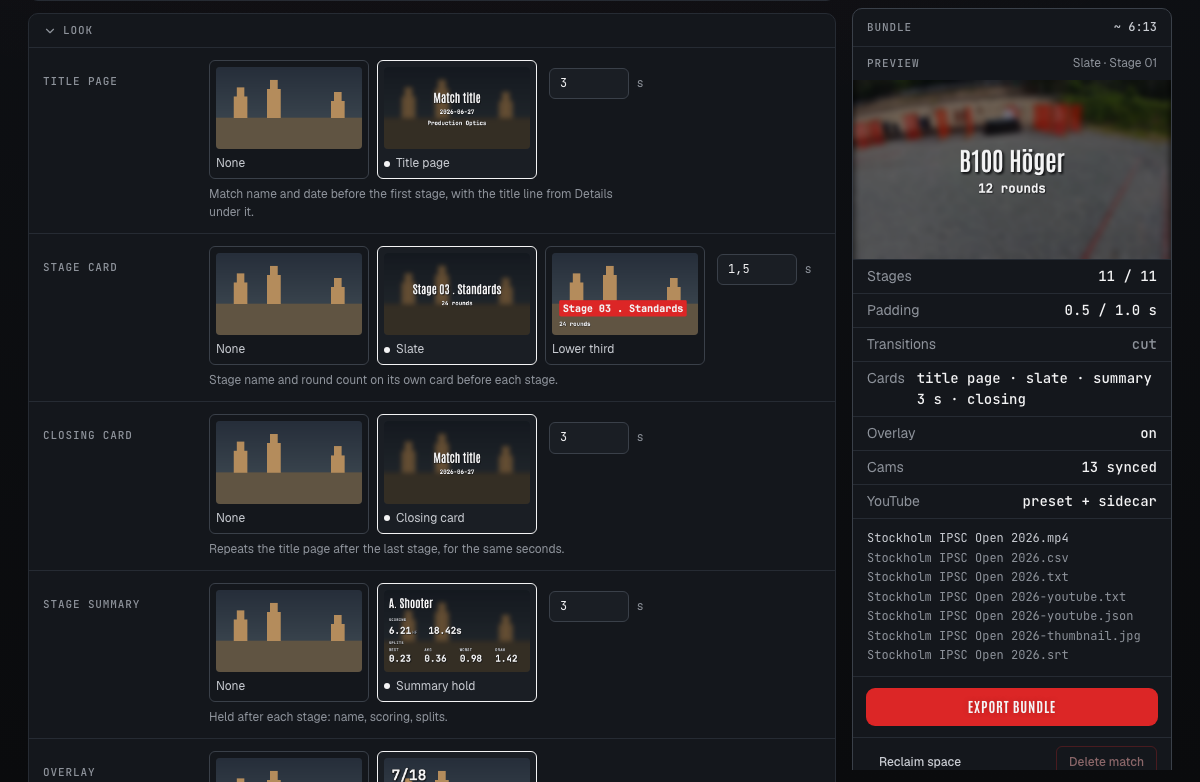
Keep it in the app, or take it out.
Coach and compare
Shot-by-shot playback with the video, the ruler and the table in sync. Per-shot notes and flags. The whole squad side by side.
- On your own machine, or hosted at my.splitsmith.app by invitation
- Desktop sync pushes a local match to a hosted account
- Share a read-only link to a match or a stage
A marker per shot
An FCPXML timeline with the stages back to back and a frame-aligned marker on every detected shot. Step through on M / Shift+M.
- Per stage or the whole match
- Transitions, slates and lower thirds
- FCP 7 XML for Premiere and Resolve
Ready to post
A finished cut with the shot counter and splits burned in, a title page and a stage card, or every shooter in one beep-aligned grid.
- Presets for the whole export, yours or the built-in four
- The look from a gallery, previewed on your footage
- Alpha overlay with the shot clock
- Compare grid with a mixed squad track
- Upload to YouTube from the app: chapters, captions and thumbnail, into a playlist, scheduled if you like
Two minutes to your first stage.
Install and launchDownload the desktop app for macOS or Linux, or install with uv and open the app in your browser. The first boot fetches the detection models. Hosted at my.splitsmith.app is by invitation; a local install can sync a match up to it.
Add your footageA folder from any camera with a microphone: head, chest, gimbal or handheld, one camera or several. Each clip is matched to its shooter and stage from the scorecard times.
Confirm the beeps, audit the shotsThe app finds every beep and lines them up for your OK, one after the other. Each confirmed beep trims the stage and runs detection; you check what it found and the splits are yours.
Download from the releases page, then:
# macOS: open the .dmg and drag Splitsmith to Applications
# Debian, Ubuntu: the .deb also installs the splitsmith command
$ sudo apt install ./splitsmith-desktop_*_amd64.deb
# Other distributions: the AppImage (on Ubuntu 24.04+, use the .deb)
$ chmod +x Splitsmith-*-x86_64.AppImage && ./Splitsmith-*-x86_64.AppImage
$ uv tool install splitsmith
$ splitsmith ui
$ splitsmith single --video stage3.mp4 --time 32.12 \
--stage-name "B6 Rear" --stage-number 3 --output ./b6-rear
$ docker pull ghcr.io/mandakan/splitsmith:latest
$ docker compose -f docker-compose.yml -f docker-compose.ghcr.yml up -d
my.splitsmith.app, by invitation.
The same app, hosted: upload from any device, sync a local match up, share read-only links, and let a coach or squadmate comment on your stages. Sign-in is a magic link and only invited emails get one. Leave yours and we will email an invite when there is room.
Trained on audited stages, not on a demo reel.
Every release retrains the shot ensemble on a corpus of real beep-to-last-shot audio with hand-labelled shot times, across cameras and mounts. Every stage you audit is the same kind of data. Contributing your own audited stages to the corpus is on the roadmap; today the fixtures come from the maintainer and a handful of squadmates.
A split under 1.0 s is a split, under 2.0 s a transition, longer is movement; the auto-classifier's cutoffs, and every class is yours to override per shot in Coach.
Reads